Spot the hazards. Then work the risk assessment.
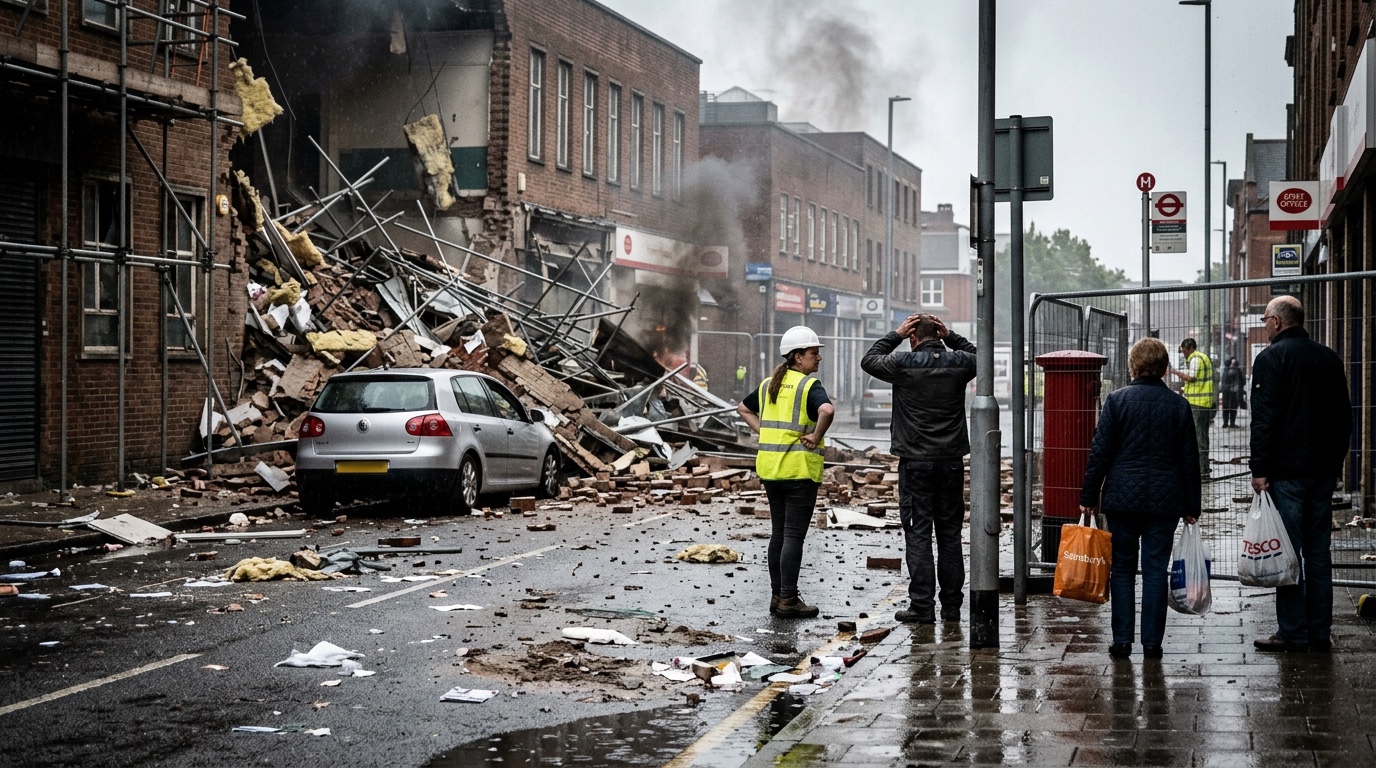
A real incident scene and two ways to train. Take the sixty-second spot-the-hazards drill, or the full DRA Journey — hazards, where they are, what is at stake and what each one means for crews, control measures, command decisions — with feedback at every stage.
One scene. A sixty-second drill, or the full DRA.
Five stages, feedback after each
The primary mode. Identify the hazards, locate them in the picture, weigh the risk, choose control measures, then make the command decisions — tactical mode and why, tactical priorities in order, and resources.
The sixty-second drill
Pick the hazards from tiles, rate each one for likelihood and severity, and pick the control measures. Quick enough to run on the station tablet between jobs.
What is at stake, and what it means for crews
Saveable life, saveable property, or already lost — then for each hazard: standard procedures, additional controls, or keep crews out. Anchored on the NFCC maxim: risk a lot to save saveable lives, a little for saveable property, nothing for what is already lost.
Free-text DRA, marked by AI
Write the dynamic risk assessment in your own words on a DRA form and have it marked against the scene's answer key.
Study mode with the full answer key
The complete answer key for the scene, the HAULEM radio message, and read-aloud key points — for learning before the drill, or debriefing after it.
Every answer grounded in NFCC NOG
Each answer key is drawn from NFCC National Operational Guidance, with a plain-English "why" for every hazard and every resource — not just the right answer, but the reason it is right.
49 scenes across 26 incident types
Building fires, vehicle and transport, rescue, hazardous materials, open land and environment. Some scenes open with a drive-up arrival video so the assessment starts the way the job does.
SCORM export and localised scenes
Scenes can be exported as SCORM 1.2 packages for your learning management system, and localised scenes built on your own service's scenario information are available on request.
Common questions
What are the five stages of the DRA Journey?
Each stage gives feedback before you move on:
- Identify hazards — pick out what is in the scene.
- Locate them — place each hazard in the picture.
- Weigh the risk — what is at stake (saveable life, saveable property, already lost), then what each hazard means for crews: standard procedures, additional controls, or keep crews out.
- Control measures — choose the controls for each hazard.
- Command decisions — tactical mode and why, tactical priorities in order, and the resources you would request.
What incident types does HazardGrid cover?
49 scenes across 26 NFCC incident types, including:
- Building fires
- Vehicle and transport
- Rescue
- Hazardous materials
- Open land and environment
Some scenes open with a drive-up arrival video before the still image.
Is it grounded in real guidance?
Yes. Every answer key is grounded in NFCC National Operational Guidance, with a plain-English explanation of why each hazard matters and why each resource is needed. The risk-weighing stage is anchored on the NFCC maxim: risk a lot to save saveable lives, a little for saveable property, nothing for what is already lost.
Do I need an account or any installation?
No. HazardGrid is free to use, needs no account, and works in the browser on any phone, tablet or laptop. Open it and pick a scene.
Can we run it in our own LMS, or with our own scenes?
Scenes can be exported as SCORM 1.2 packages for your learning management system. Localised scenes built on your service's own scenario information are available on request — get in touch.
Where is the help page?
A walkthrough of every mode lives at /hazard-grid/help.html.